Level Bounds
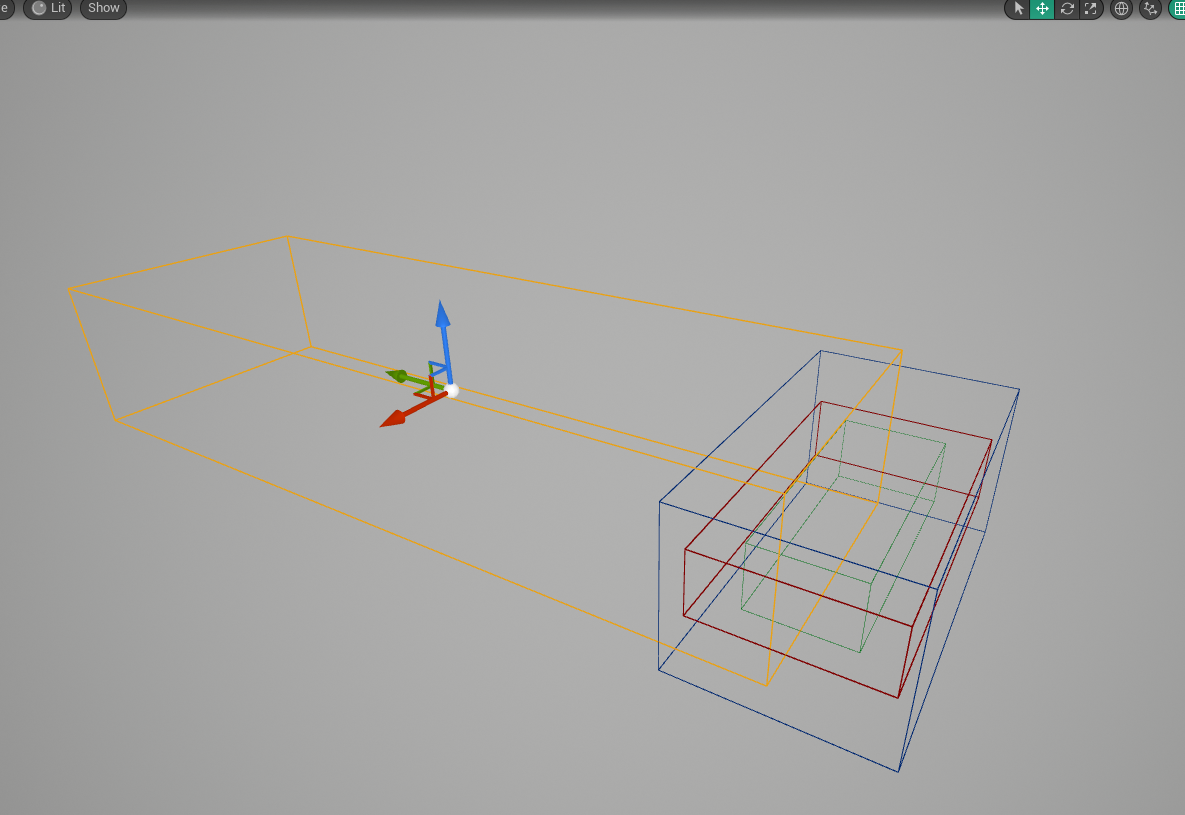
Every Heist in PAYDAY 3 has Areas which the player cannot access and where the screen turns grey.
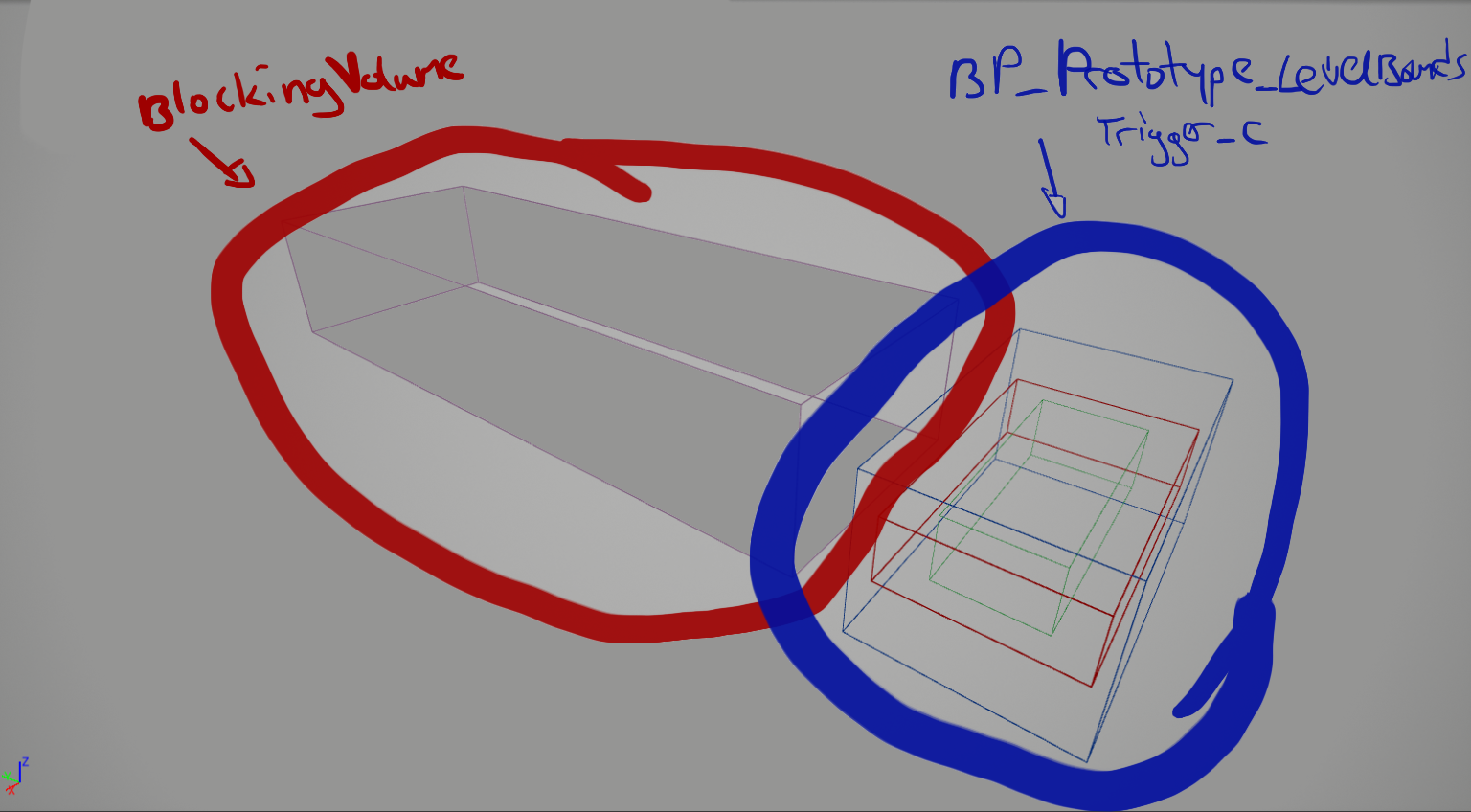
For this effect, two entities are needed: a BP_Prototype_LevelBoundsTrigger_C, and a Blocking Volume.
Setup
First up, position the BP_Prototype_LevelBoundsTrigger_C where you want the visual barrier to be, be aware that you can still walk through this area without being stopped,
thats where the Blocking Volume comes in, position it within the BP_Prototype_LevelBoundsTrigger_C so that the inner Post Processing Bounds overlap with the Blocking Volume.
|
You can resize both the |
Another important thing to note is that by default, the Blocking Volume will block everything, including NPCs.
If you want to change this, navigate to the Details of the Blocking Volume and change its Collision Preset from Block All to any of the Presets starting with SBZ_.