
Creating Templates
CrimeFactory templates are folders containing the starting files for a new mod plugin. They can provide Blueprints, Data Assets, levels, configuration and an icon. CrimeFactory generates the plugin descriptor and applies its normal mod setup when you click Create Mod.
Install a community template
-
Open CrimeFactory and choose Create Mod.
-
Click Open Templates Folder. This opens the Templates directory in the installed CrimeFactory plugin, normally
<ModkitRoot>/Plugins/CrimeFactory/Templates/. -
Extract the community template so its directory sits directly inside
Templates. Avoid an extra wrapper directory from the archive. -
Return to the creation window and click Refresh.
-
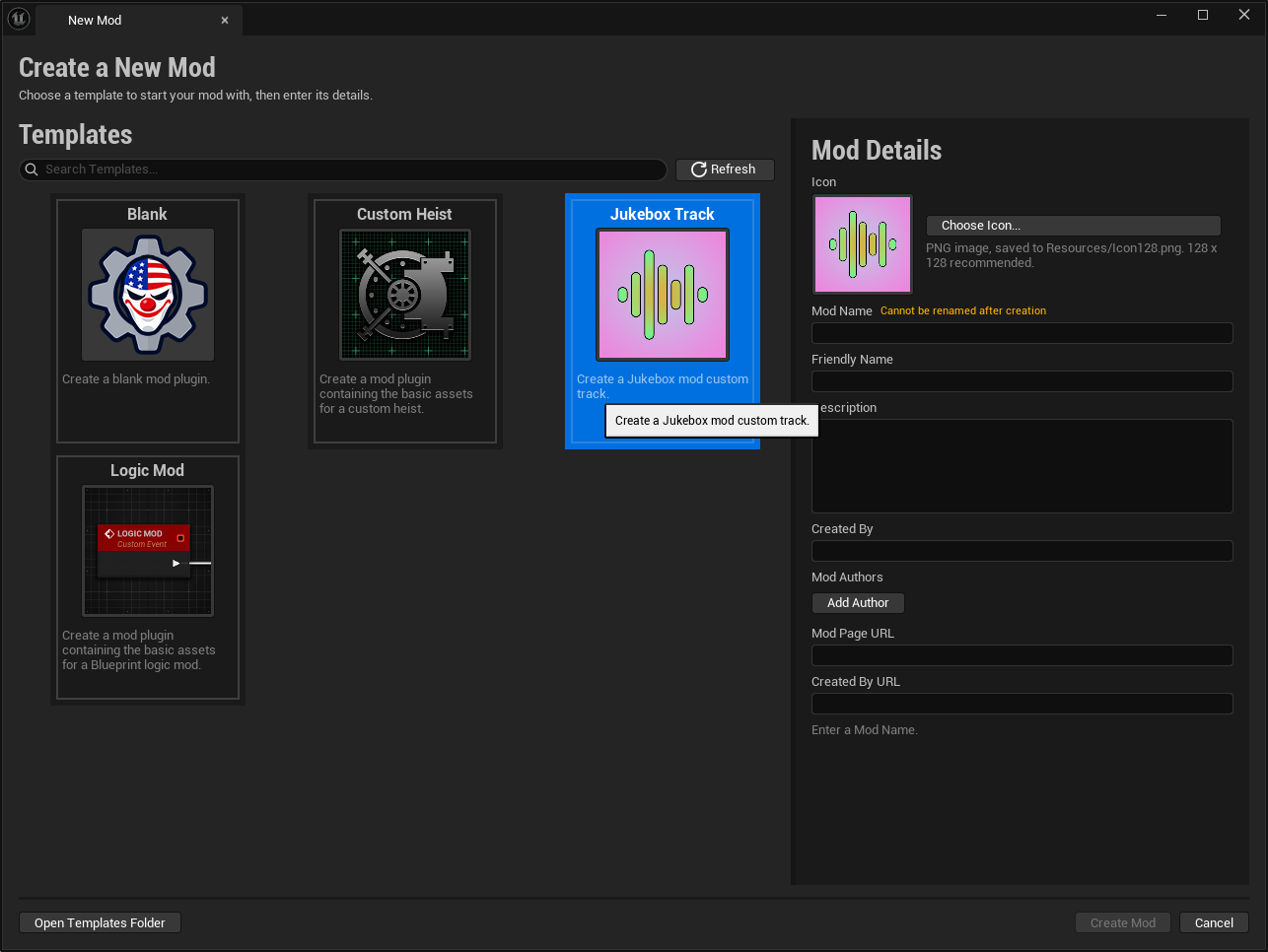
Search for the template, select its card and enter your mod details.
No Editor restart, JSON registry or code change is required. Refresh keeps your search and mod details. It keeps the selected template if the folder is still valid; removing that folder clears selection.
Create a template folder
Start by copying a built-in template close to your needs, such as Blank or LogicMod, into a new immediate subdirectory. Give it a clear name, for example CommunityLogic. The folder name identifies the template and becomes a readable card title.
CrimeFactory/
└── Templates/
    └── CommunityLogic/
        ├── Content/
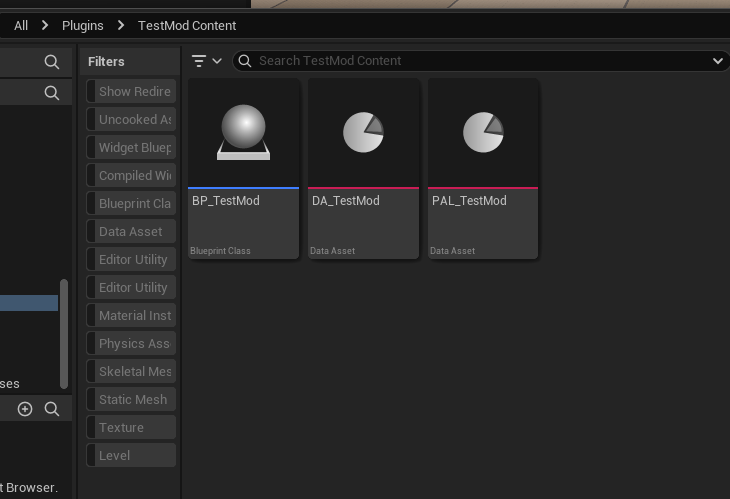
        │   ├── PLACEHOLDER_BP_MODNAME.uasset
        │   ├── PLACEHOLDER_DA_MODNAME.uasset
        │   └── PLACEHOLDER_PAL_MODNAME.uasset
        ├── Config/
        │   └── PluginSettings.ini
        ├── Resources/
        │   └── Icon128.png
└── Description.txtContent, Config and Resources follow the normal Unreal plugin layout. At least one of these directories must exist. Optional directories can be absent. Keep the PAL and mod metadata Data Asset from a built-in template when your mod needs CrimeFactory’s standard registration and packaging setup.
Do not include a .uplugin file or a Source directory. This browser handles content templates; CrimeFactory generates the descriptor itself. Hidden directories, folders without the supported structure and native-code templates are excluded.
Content
Prepare Blueprints, Data Assets and levels in the modkit Editor, using a temporary development mod. Use the Content Browser to rename or move assets, then save everything and fix redirectors before copying the resulting Content tree into your template.
Preserve relative paths. Include referenced assets that belong to the template. References to another mod require that mod to be installed; do not assume copying one Blueprint also copies its dependencies. Do not edit .uasset or .umap files with a text editor or rename them in Explorer.
For Logic Mods, retain the Blueprint derived from PDML’s ModActorBase and the standard mod metadata Data Asset. For Custom Heists, retain the heist Data Asset and level. CrimeFactory discovers these asset types during its existing post-creation setup and populates the mod metadata and heist level reference.
Config
Place plugin configuration files under Config. They are copied into the generated mod with their relative paths preserved. Use the existing built-in configuration as a starting point. In .ini values, complete PLACEHOLDER_MODNAME and PLACEHOLDER_BP_MODNAME tokens become the new mod name and BP_<ModName>. CrimeFactory leaves tokens embedded in unrelated words unchanged. Check the copied values when testing; this is not a general-purpose substitution language for arbitrary text.
Resources and optional descriptions
Place an optional PNG icon at Resources/Icon128.png. CrimeFactory uses it for the template cards. Invalid or missing previews fall back to the CrimeFactory icon.
An optional UTF-8 Description.txt in the template root supplies the description. Keep it short and useful. Without it, CrimeFactory shows a general description using the folder name. Neither file is required to register the template.
An optional Dependencies.txt lists required plugin names, one per line. Blank lines and lines starting with # are ignored. Required plugins must be installed before creation. Their installed versions are used for descriptor dependencies. The built-in Jukebox Track template uses this mechanism for JukeboxMod.
Name placeholder assets
The established naming rule is a complete asset or folder name beginning with PLACEHOLDER_ and ending with MODNAME. The middle part becomes the new prefix. The suffix form BP_PLACEHOLDER_MODNAME is also supported. Use the uppercase token spelling shown here.
For a mod called MyNewMod:
| Template name | Generated name |
|---|---|
|
|
|
|
|
|
|
|
|
|
CrimeFactory reads package paths from the template assets using Unreal’s versioned name tables and installs temporary redirects while creating the mod. This preserves references between included assets even when their authoring plugin had a different name from the template folder. It then uses Unreal’s asset renaming tools to update packages and references. It repairs local hard and soft references and retains redirectors where references still need them. It does not patch binary asset bytes. Unreal’s standard PLUGIN_NAME template handling also remains available through the plugin creation pipeline.
Prepare all names in the Editor before copying the files. Renaming only an asset’s filename in Explorer does not rename the object stored inside it. Avoid names that resolve to the same destination.
Test your template
-
Open Create Mod and click Refresh. Confirm the card title, description and icon.
-
Search by part of its name and description, then clear the search.
-
Select the card and check that its outline stays highlighted when you move focus to the Mod Details fields.
-
Create a disposable mod with a unique name.
-
Open its Blueprints, Data Assets and levels. Compile Blueprints and check references, the PAL, metadata, Mod Actors and heist settings as applicable.
-
Save, reopen and use the normal Forge workflow to test the mod in game.
-
Remove the disposable mod using the normal mod management workflow when finished.
Also test adding and removing your template while the creation window stays open. Refresh should update the gallery without losing entered mod details.
Distribute your template
Zip the template directory itself, preserving its Content, Config and Resources layout. Include installation instructions, the modkit version used for testing and any required plugins. Recipients should copy that directory directly into CrimeFactory’s Templates folder and click Refresh.
Distribute only content you have permission to share. Do not bundle PAYDAY 3 base-game files. Keep a backup of community templates before replacing or updating the CrimeFactory installation.
Troubleshooting
Template does not appear
Check for an extra archive wrapper folder, a hidden folder name, a .uplugin descriptor or native Source directory. Include at least one supported directory and click Refresh.
No search results
Clear the search. Search matches the displayed name and available description.
Templates directory unavailable
Check the CrimeFactory installation and directory permissions. Open Templates Folder uses the plugin’s actual installation location.
Create Mod is disabled
Read the validation message or button tooltip. Select a template and enter a valid, unique Mod Name. CrimeFactory creates the plugin in the modkit’s Mods folder. Existing plugins and destination conflicts are rejected.
Dependency missing
Install the plugin listed in the error before creating the mod. Check optional Dependencies.txt for spelling mistakes.
Assets fail to load or rename
Read the Output Log. Check that assets were saved with the intended object names in the modkit, that required plugins exist and that no two placeholder names resolve to the same package. Templates containing ExternalActors or ExternalObjects directories are excluded because this creation path cannot safely relocate those layouts. Linked directories and files are also excluded; distribute a self-contained folder tree.
Creation reports a processing failure
File-copy failures use Unreal’s creation cleanup. A mod already loaded when asset processing fails is retained to avoid deleting loaded assets. Inspect it in the Editor and remove the disposable mod safely before retrying with a fresh name.