

Forge
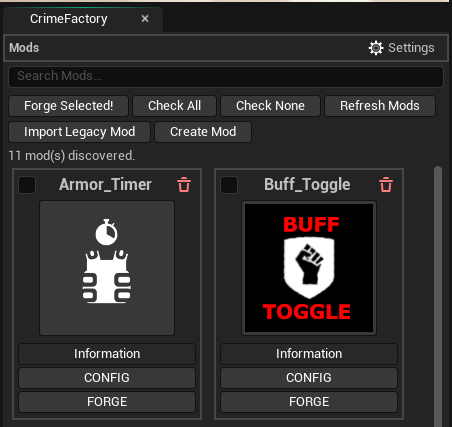
CrimeFactory uses Forge as the name of its cook and package operation.
What Forge does
When you Forge a mod, CrimeFactory:
-
Runs the mod preflight/validation.
-
Resolves the content that belongs to the selected mod.
-
Cooks that content for PAYDAY 3.
-
Packages only the content that should ship with the mod.
-
Produces the plugin-based output expected by PDML.
This avoids cooking or shipping unrelated project content.
Start a Forge
Find the mod in the CrimeFactory manager and click FORGE.
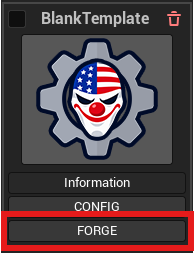
Forge operates on that mod plugin and its configured content rather than packaging the whole modkit project.
Plugin-only Forge
If the mod only contains content under its own plugin root, CrimeFactory can use the normal plugin Forge path.
This keeps the cook focused on the selected plugin.
External /Game replacement Forge
Replacement mods can include editable assets at the original game’s /Game/… paths, outside the mod plugin’s own content folder.
Select the replacements through the mod PAL’s Explicit Assets list or a referenced static Asset Collection, then Forge normally. CrimeFactory includes the replacements and plugin content in one mod.
See Asset Collections & Bulk PAL Management for managing large replacement sets.
How Forge cooks external replacements
When CrimeFactory detects external /Game/… replacement content, Forge uses a two-stage cook:
-
The plugin content is cooked through the normal plugin pass.
-
The external
/Game/…replacement assets are cooked through the additional project cook pass. -
The resulting cooked content is combined into the single forged mod output.
Plugin-only mods skip the extra replacement pass.
Packaged output
Depending on the mod and current PAYDAY 3 packaging format, the forged output can contain Unreal container files such as:
-
.pak -
.utoc -
.ucas
These remain part of the complete CrimeFactory plugin mod rather than files that should normally be moved individually into the game’s Content/Paks directory.
First Forge setup
On a new engine/modkit setup, the first Forge can perform additional one-time tooling preparation.
Which tools Forge prepares
CrimeFactory uses its CrimeFactory.Automation tooling and custom PackagePlugin automation command for the Forge pipeline.
If the required automation build is missing or stale, CrimeFactory can build/register the automation tooling before continuing.
When using a source-built engine, CrimeFactory also checks for the required UnrealPak executable and can build it automatically if it is missing.
Subsequent Forge runs can reuse that prepared tooling until it needs to be rebuilt.
Chunk IDs
The mod’s PAL Chunk ID must avoid values used by PAYDAY 3 and its DLC.
A value greater than 100 is recommended.
Copy Mods To Game
CrimeFactory Project Settings includes Copy Mods To Game.
When enabled, a successful Forge copies the complete forged plugin mod into:
PAYDAY3/Mods/This allows PDML to discover the mod without manually copying the forged output after every build.
Launch Game After Packing
CrimeFactory also includes Launch Game After Packing.
When enabled, CrimeFactory can launch PAYDAY 3 after the Forge completes so the mod can be tested.
|
The launch behavior still needs additional validation for the Epic Games Store and Xbox/Microsoft Store versions of PAYDAY 3. |
Runtime destination
The normal PDML mod location is:
PAYDAY3/Mods/|
Do not treat The dedicated |
Troubleshooting a Forge
A Forge can fail because of either CrimeFactory validation or normal Unreal cooking/packaging problems.
Useful places to check include:
-
CrimeFactory preflight errors,
-
PAL and Asset Manager setup,
-
unresolved explicit assets,
-
stale template placeholders,
-
external replacement configuration,
-
Blueprint compile errors,
-
missing references,
-
plugin/module load errors,
-
and Unreal cook failures.
When Unreal Automation Tool fails, look upward in the log for the first relevant validation, compile, cook, or packaging error rather than relying only on the final failure line.