Welcome to the new age of PAYDAY 3 Modding
Since the Unreal Engine 5 update was released in August, PAYDAY 3 modding has had to effectively reset. This is because all of the mods, projects, and workflows we used in Unreal Engine 4 no longer work in Unreal Engine 5.
What started as a "Let’s remake what we had in Unreal Engine 4" quickly expanded. Around every corner, we found ourselves asking, "What if we could make this even better for the community?"
A month later, we are ready to unveil it to the community…
|
Only use mods, not create them? No worries, head directly to PDML: The New and Improved Mod Loader to see what’s going to be new for you. |
The Modkit
The core of the innovation for mod developers.
The modkit allows for complete integration with the PAYDAY 3 game. You can load the assets from the game directly into the editor, meaning you can say goodbye to extracting assets and hello to a full view of the game within the editor.
Custom Unreal Engine
We had been unable to mod many assets, such as materials and animations, in Unreal Engine 4 due to compilation mismatches with the game.
With the new custom Unreal Engine, we’ve increased the number of supported asset types that work in the game, resulting in very few mismatches.
You can now freely create custom materials, use Wwise audio, create animations, bake materials, and more.
|
While we can’t guarantee that every asset type works, due to limited testing capacity, we’ve yet to encounter an asset type that doesn’t load into the game. |
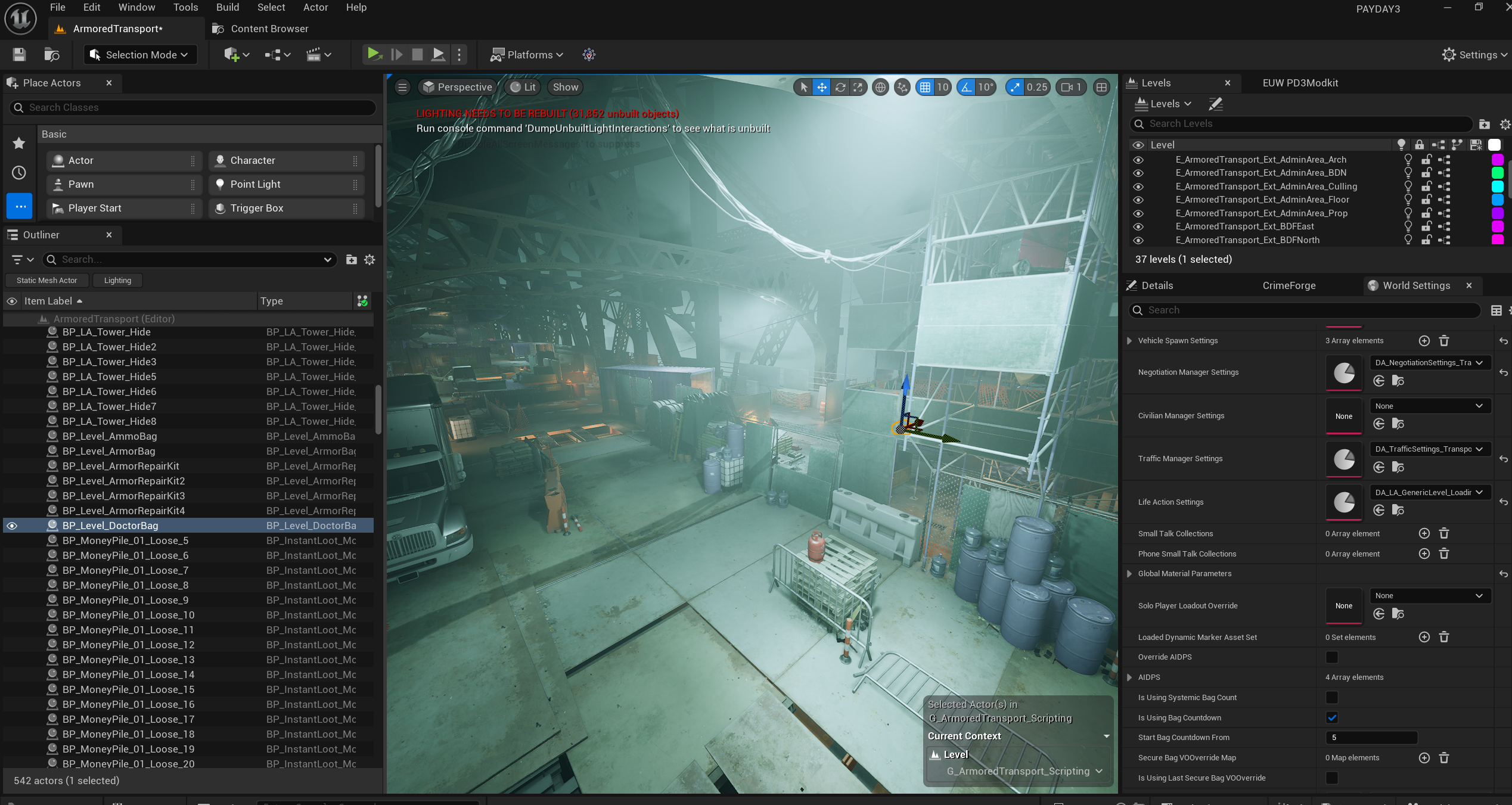
Open Up Levels
Open up a heist to test your texture mods, find a mesh you need, or simply learn how heists are made while making your own heist.
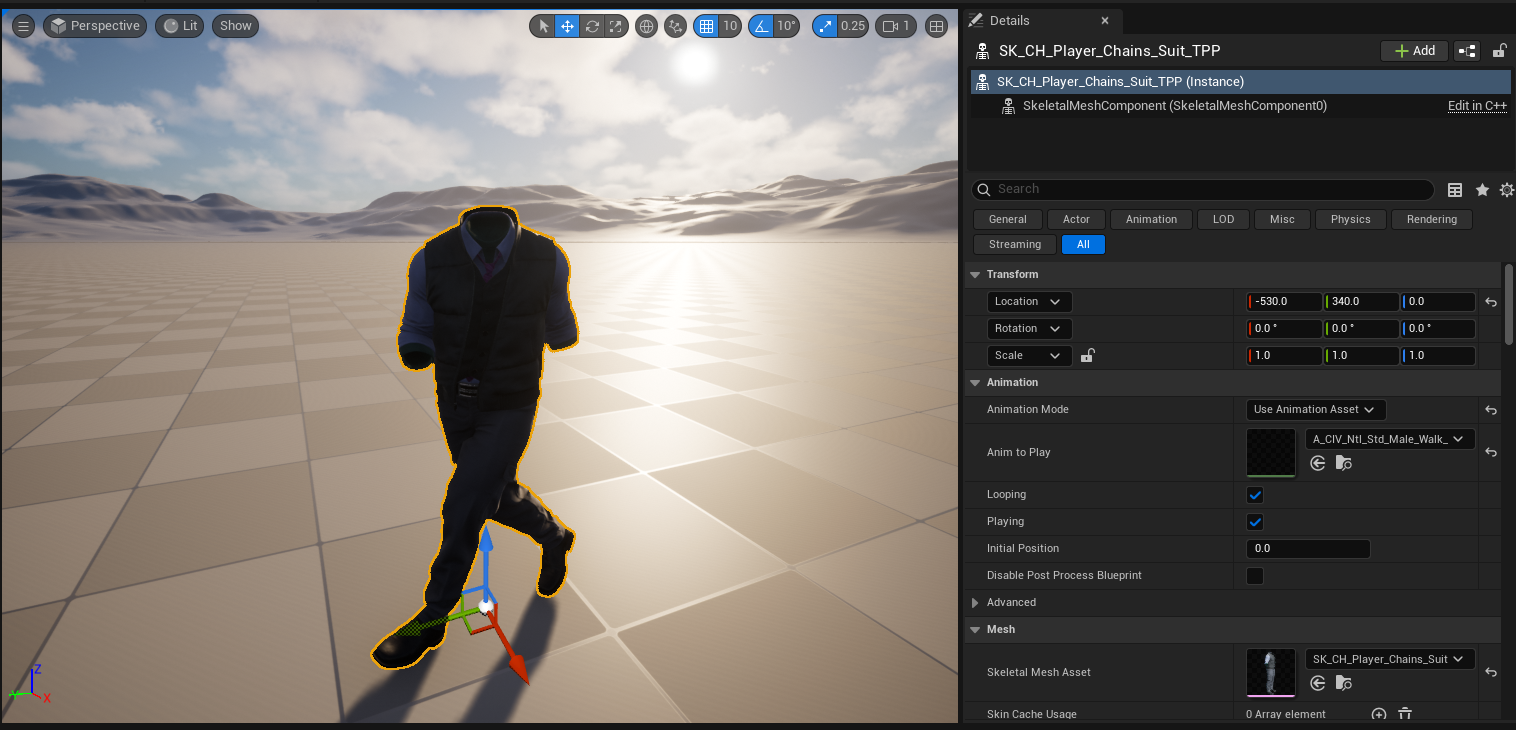
Animations
View your custom animations using in-game skeletons, or view your custom skeletons using in-game animations.
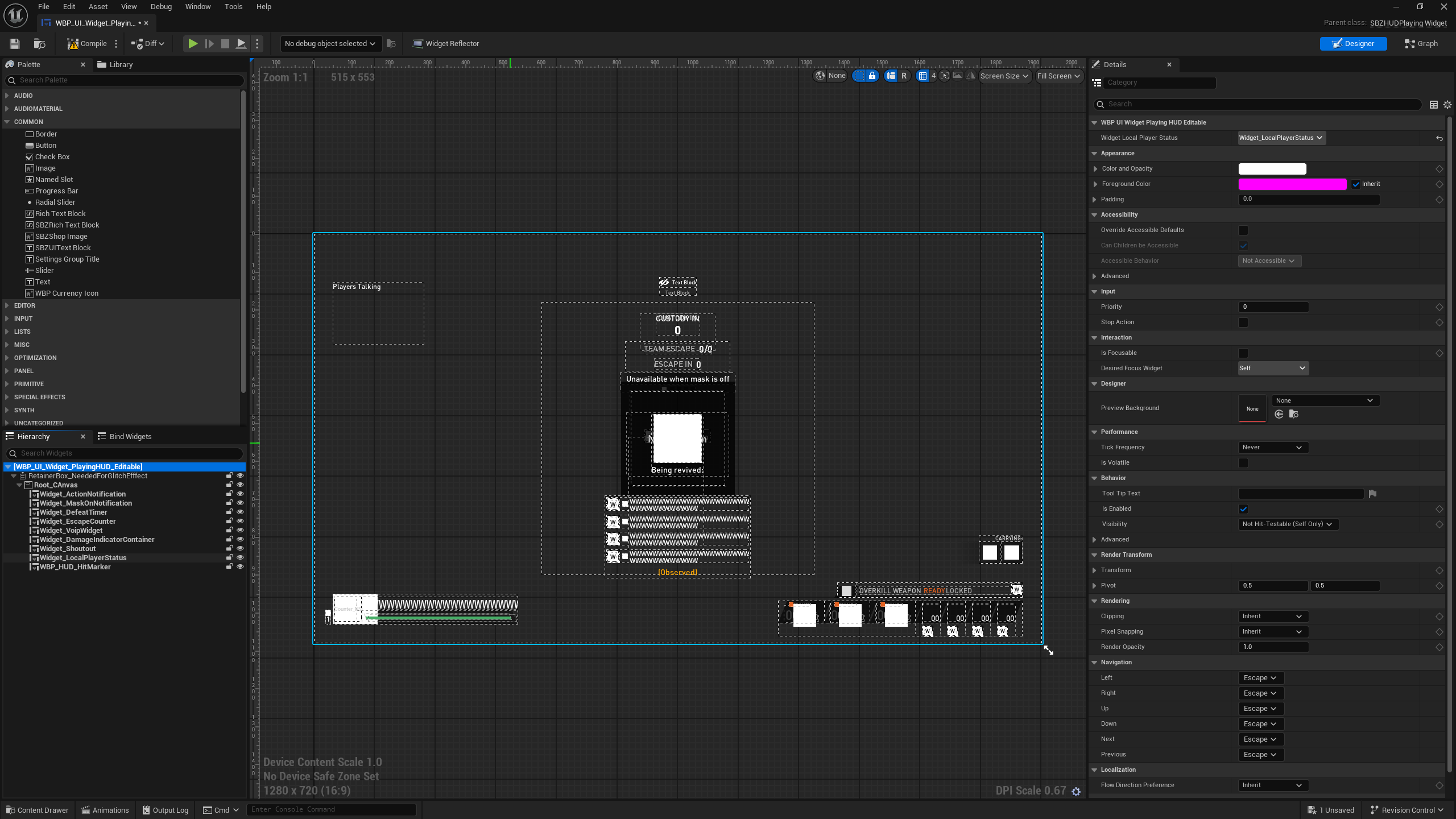
Uncook Assets Directly in the Editor
Uncook numerous asset types directly in the editor, either as a copy or in the same directory.
|
This editor does not include any source code for the game. Uncooking blueprints or widgets does not include code, and opening levels does not allow you to view the heist code. |
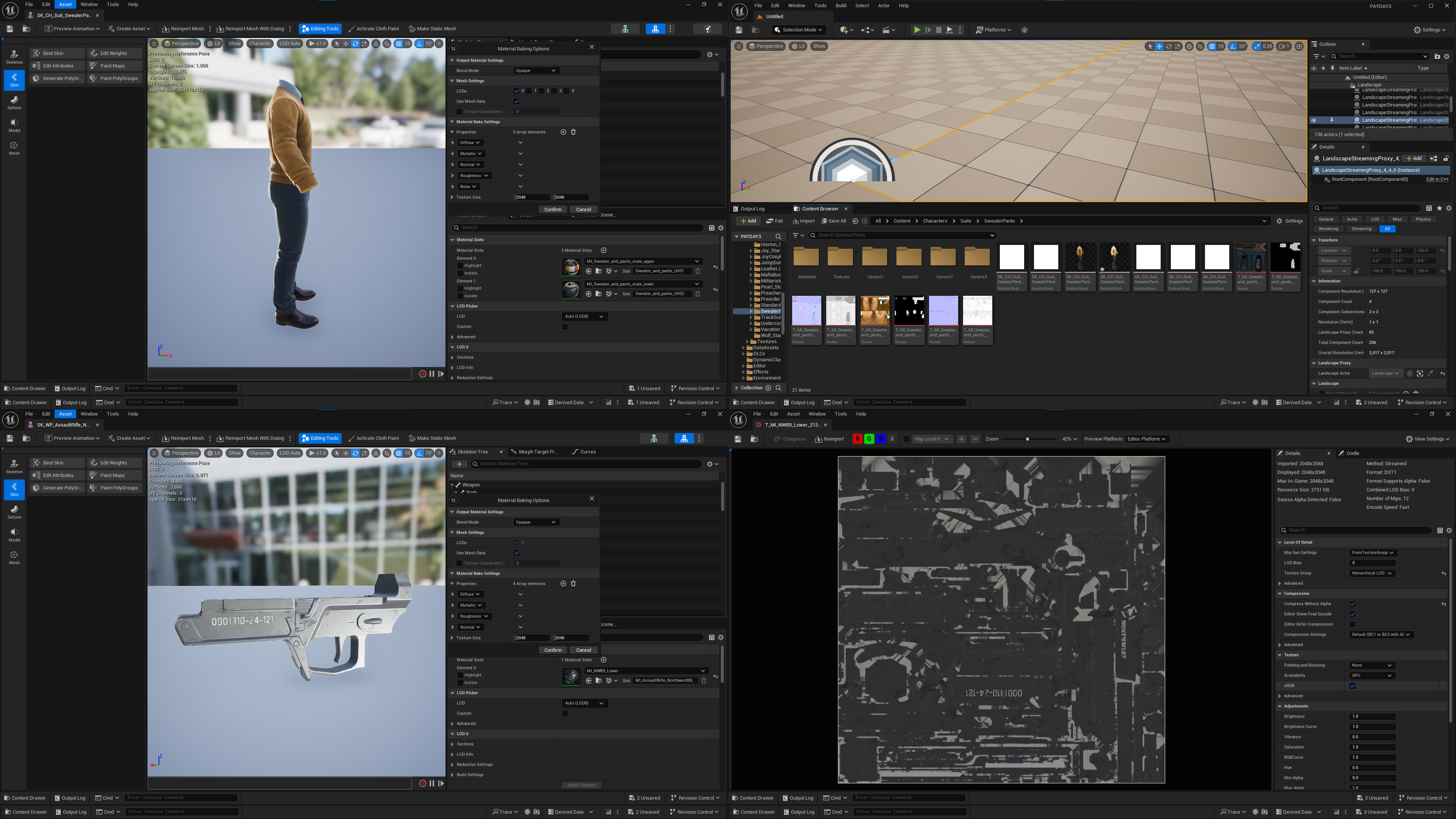
Texture Baking & Editing
Bake a weapon or a character’s suit texture with ease and have it be in a format ready to be retextured or modded/ported to other games. No longer will you need to edit RGB values in the materials to recolor your suit or weapon.
|
Accessory textures for outfits are not included in the material bake, you will need to get those on your own, but they are already color textures. Some materials are also not properly displayed from how they visually appear in-game. |
CrimeForge
Tired of needing a thousand different command-line tools just to package your mods? Want a way to easily find and organize your mods in the editor? CrimeForge does both.
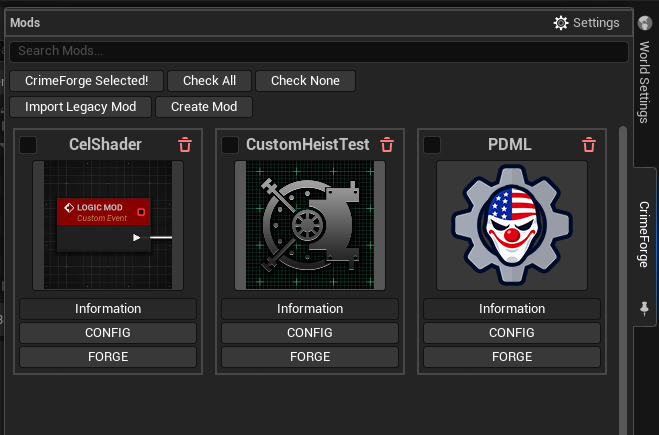
CrimeForge is a completely custom plugin made for PAYDAY 3, supporting both replacement mods and new assets for the game. It’s an easy-to-use tool that lets you mod and test faster than ever before.
Features
-
Create various mods from templates. No more having to start from scratch every time.
-
Import and convert Unreal Engine 4 or non-CrimeForge mods into CrimeForge-supported mods.
-
Click the mod icon to go right to your mod folder.
-
Keep mod folders completely separate from normal game assets, making it easier to differentiate the two.
-
Cook and package your mod(s) in a single click.
-
Package faster than ever before.
-
Have your mod(s) automatically transferred to the game, and the game launched for you.
PDML: The New and Improved Mod Loader
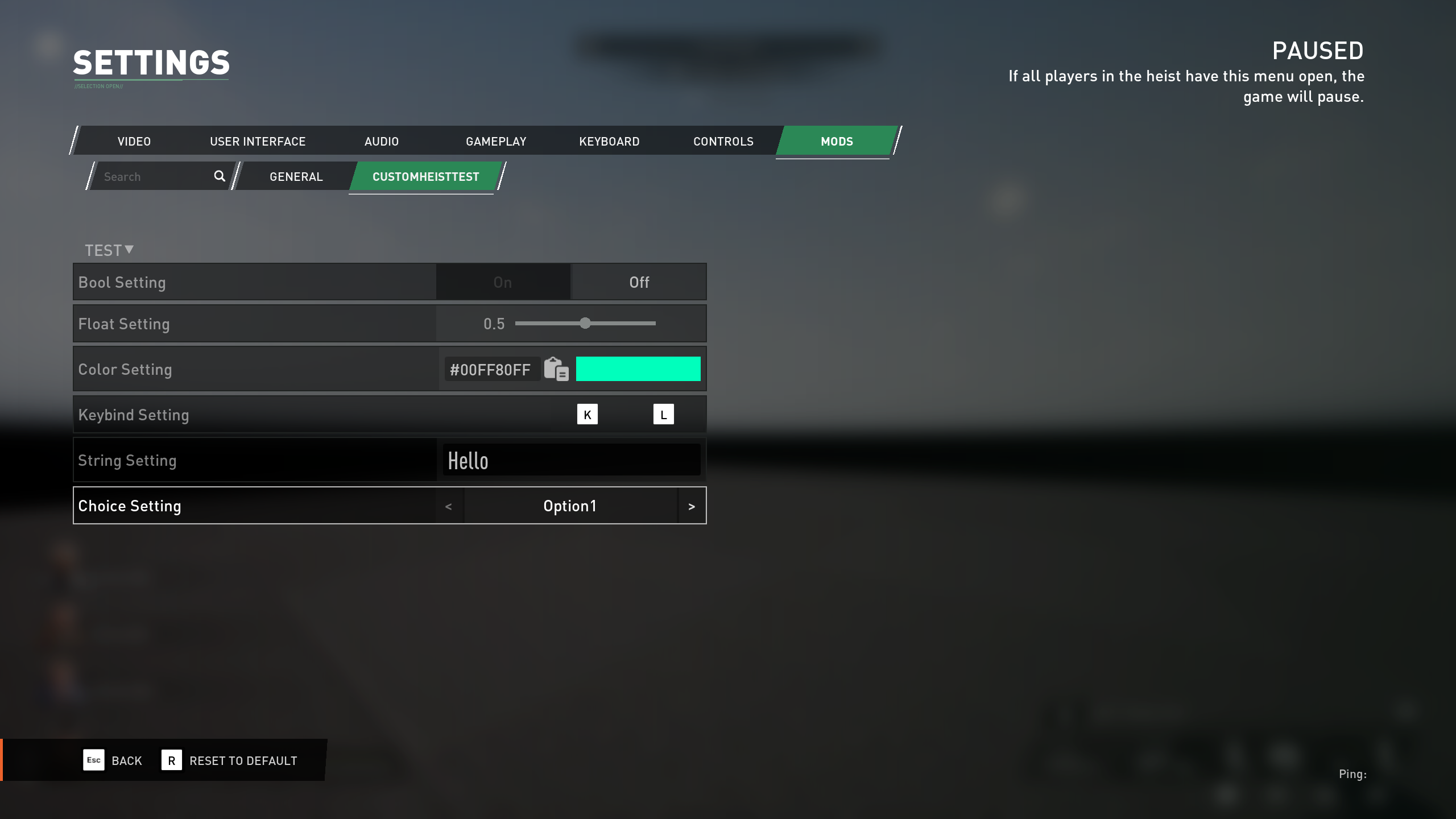
The new and improved PDML, also known as the mod loader, allows for a better user experience when playing with mods.
|
PDML is in early access and may change significantly as we update it. Expect frequent updates to PDML, and be aware that mods may also need updates to stay compatible with the PDML version you are using. |
Main Menu Mod Manager
Enjoy a completely new button on your main menu, allowing you to quickly see what mods you have installed.
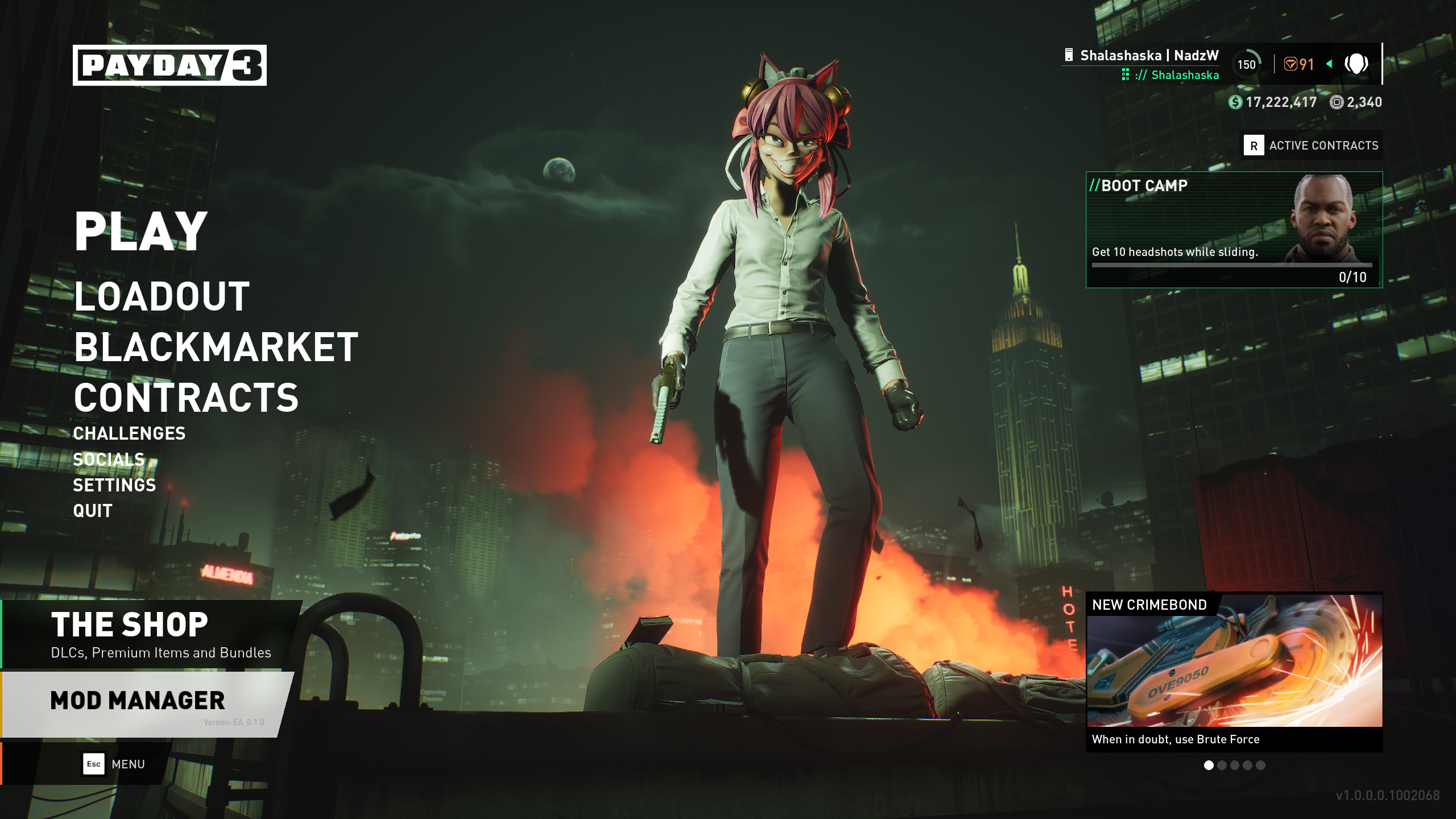
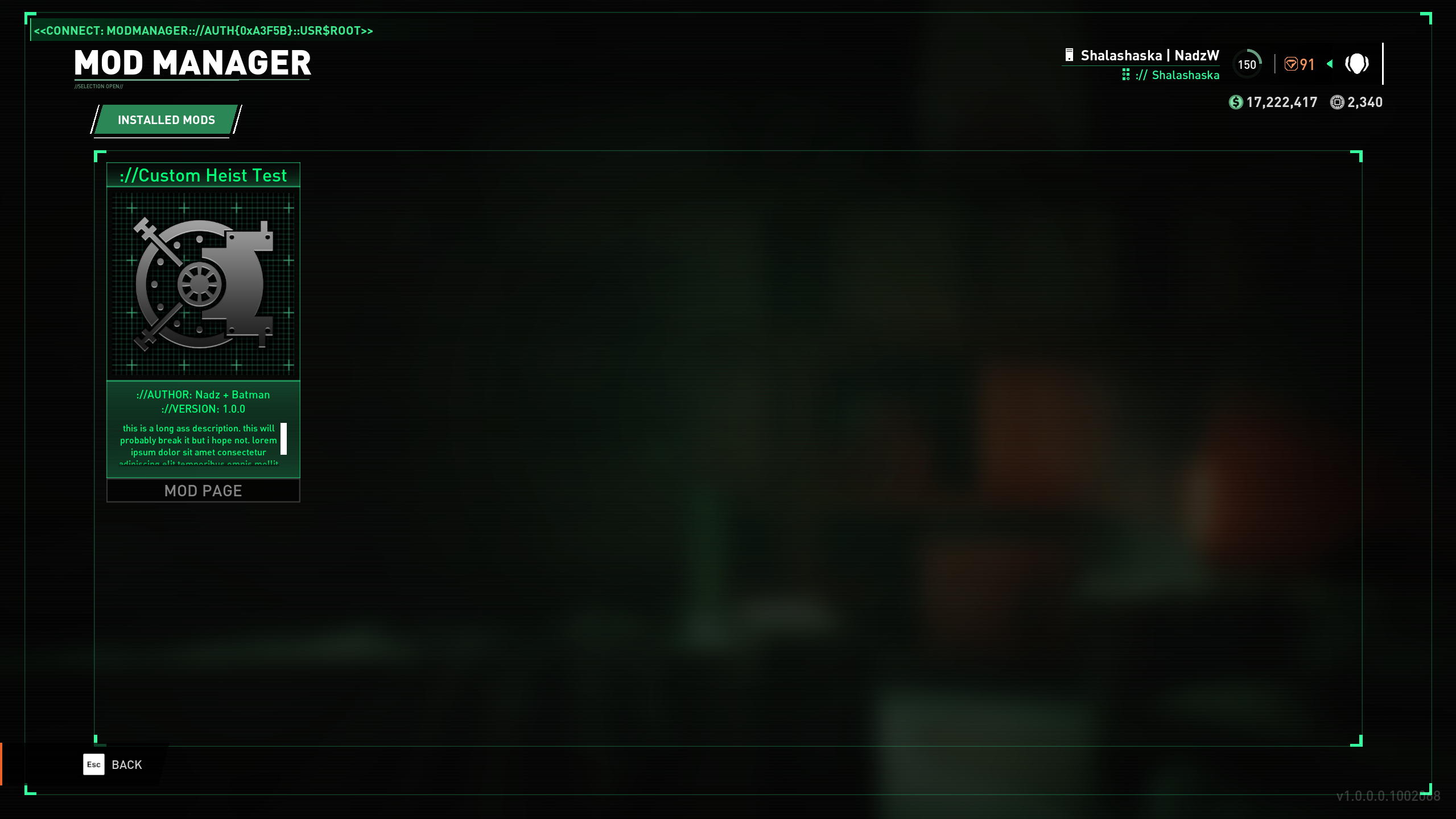
View your installed mods, and click any mod to open its download page so you can quickly share it with your friends.
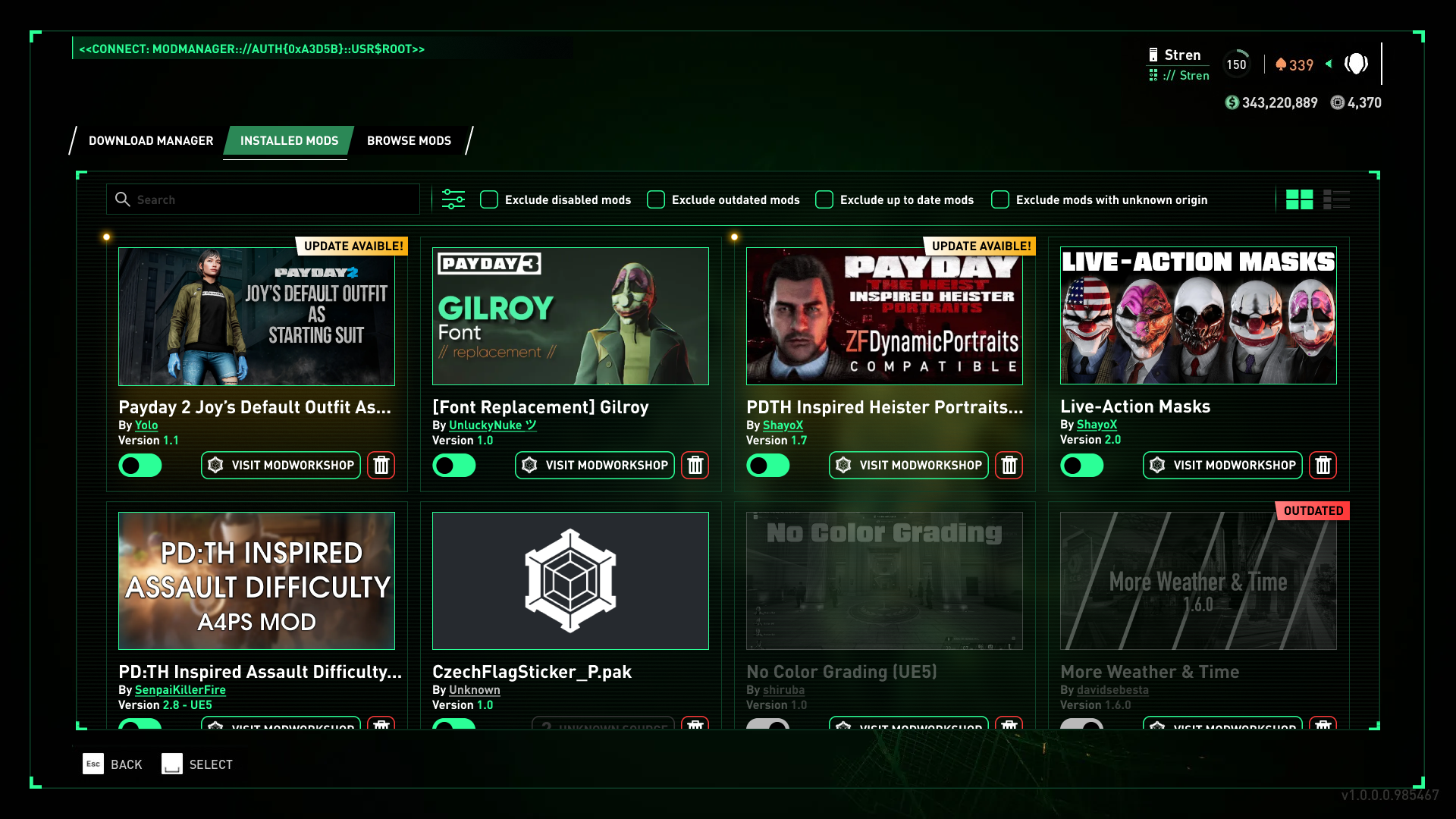
We plan to add mod load ordering and the ability to enable and disable mods. In the future, we may also add an in-game mod browser if possible. These features are planned, and the concept below shows what a future Mod Manager could look like.
Conclusion
We’ve spent the last month creating a smoother experience for both users and developers in this community. We hope you all enjoy it and start creating the mods you’ve always wanted to make.
For developers, head to Getting Started to set up the tools and create your first mod!
For users, we hope you enjoy everyone’s mods soon!
Contributions
-
NadzW: PDML, Modkit, UE5_PD3 developer and documentation
-
FlamingFury1000: Concept UI for the main menu and Mod Manager screen
-
Capcake: Custom heist documentation and testing
-
Pinki_Ninja: Documentation and testing
-
Columbus: Material baking, Documentation and testing
-
DrProtogen: Testing
-
Braidy08: Testing
-
Gordon Greedman: Xbox/Microsoft Store compatibility and testing